How to Choose a TV Mount That Fits Your Room
- Brandon Bird
- Aug 5
- 6 min read
A TV mount can make a room feel cleaner, more comfortable, and easier to enjoy. But the wrong mount can leave your screen too high, too far from the wall, difficult to view from the couch, or unsupported by the wall behind it. Knowing how to choose a TV mount starts with looking beyond the size of your television.
The best choice depends on your room layout, where you sit, the type of wall you have, and how often you want to adjust the screen. A little planning before installation helps you get the polished look you want without sacrificing viewing comfort or safety.
How to Choose a TV Mount for Your Space
Start by thinking about how the room is actually used. A mount in a formal living room may only need to hold the TV flat against the wall. A mount in a family room, bedroom, kitchen, or open-concept space may need more flexibility so you can angle the screen toward different seats.
Measure the wall space, not just the TV. You will want enough room around the television for a balanced appearance, especially if you plan to add a soundbar, floating shelves, artwork, or trim details nearby. Also consider glare from windows and overhead lights. A beautifully mounted TV is less enjoyable if the screen catches reflections all afternoon.
Your ideal viewing height matters just as much. For most seated viewing areas, the center of the screen should be close to eye level when you are sitting down. Mounting a TV too high is one of the most common mistakes homeowners make, particularly when the wall above a fireplace seems like the only open space. That location can work in some rooms, but it often requires a tilt mount and thoughtful placement to keep neck strain to a minimum.
Choose the Right Mount Style
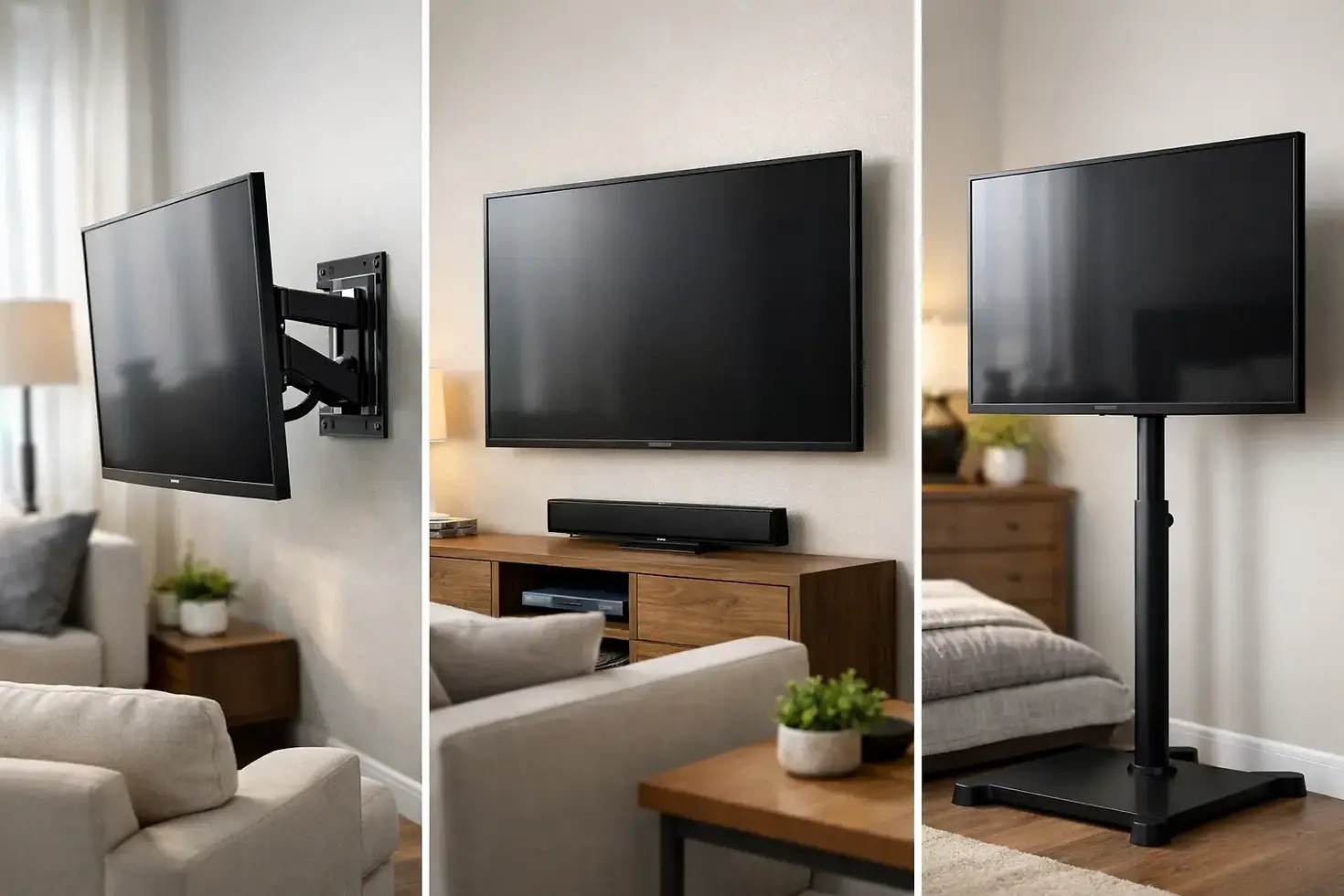
TV mounts generally come in three main styles. Each has a practical purpose, and the right option depends on whether you value the lowest-profile look, adjustable viewing angles, or a combination of both.
Fixed mounts for a clean, low-profile look
A fixed mount holds the TV close to the wall and does not move once installed. It is a practical choice when the television will be viewed straight on from one main seating area. Fixed mounts create a clean, built-in appearance and are often the most affordable option.
The trade-off is access. Because the TV sits close to the wall, connecting cables or reaching ports after installation can be more difficult. A fixed mount is best when you have planned your devices and wiring in advance and do not need to change the viewing angle.
Tilt mounts for higher wall placement
A tilt mount allows the bottom of the TV to angle outward slightly. This is especially helpful when the screen must be mounted above normal eye level, such as over a fireplace or in a bedroom where you watch from a raised bed.
Tilting the screen downward can improve the viewing angle and reduce glare from ceiling lights. It also provides a little more room to access cables. Keep in mind that tilt mounts solve an angle problem, not a height problem. If a TV is placed extremely high, even a tilted screen may still be uncomfortable for long movie nights or game days.
Full-motion mounts for flexible viewing
A full-motion mount, sometimes called an articulating mount, extends away from the wall and lets you swivel, tilt, and reposition the TV. It is a strong option for rooms with multiple seating areas, corner installations, or open floor plans where you may watch from the kitchen, dining table, and living room.
This flexibility comes with a few considerations. Full-motion mounts need a secure installation because they place more leverage on the wall when the TV is pulled outward. They also require enough side-to-side clearance for the screen to move without hitting cabinets, trim, or nearby walls. For the right room, though, a full-motion mount can make one television work for the whole space.
Confirm TV Compatibility Before You Buy
A mount must be rated for both your TV's size and its weight. Do not assume a mount works simply because the box lists a similar screen size. Check the manufacturer specifications for the maximum supported weight, then compare it with your television's actual weight without its stand.
You should also check the VESA pattern. This is the spacing of the mounting holes on the back of the TV, measured in millimeters. Your mount needs to support your television's VESA pattern. Most modern TVs use common patterns, but confirming this detail before installation avoids an unnecessary return or delay.
If you are installing a soundbar, make sure it has a plan too. Some soundbars mount directly beneath the TV using brackets, while others look best on a shelf or console. Planning the soundbar at the same time helps maintain clean lines and prevents awkward gaps after the TV is already mounted.
Understand What Is Behind the Wall
The wall itself plays a major role in choosing and installing a TV mount. In many Charlotte-area homes, TV mounting is often done on drywall attached to wood studs. A professional installation typically secures the mount directly into studs for reliable support.
Metal studs, masonry, brick, plaster, and areas above fireplaces require a different approach. A mount that is safe on a standard stud wall may need specialized hardware or a different placement on these surfaces. Never rely on drywall alone to support a television, particularly with a larger screen or a full-motion mount.
Before choosing a final location, consider what may be inside the wall. Electrical wiring, plumbing lines, and HVAC components can affect where the mount can safely go. This is one reason homeowners often prefer professional installation rather than treating TV mounting as a quick weekend project.
Plan for Power and Cable Management
A mounted TV looks its best when the cords do not become the focal point. Think about where power, streaming devices, gaming systems, cable boxes, and speakers will sit before the TV goes on the wall.
For a clean finish, cables can be routed through an approved in-wall system or concealed with a neat surface-mounted channel. Avoid running a standard extension cord inside a wall. If the existing outlet is in the wrong spot, it may be worth having an appropriate outlet installed behind the TV so the setup looks intentional and remains safe.
Full-motion mounts deserve extra attention here. Cables need enough slack to move as the TV extends and swivels, but not so much that they hang visibly or get pinched behind the screen. Good cable management protects your equipment and keeps the finished wall looking organized.
Match the Mount to Your TV Size and Room Layout
Bigger is not always better when it comes to a television. A large screen needs enough viewing distance to feel comfortable, and it should not overpower the wall or crowd other features in the room. As a general rule, larger TVs benefit from wider walls and seating placed farther away.
Consider the furniture you already have. If your sofa is directly in front of the wall, a fixed or tilt mount may be all you need. If seating wraps around the room or the TV is visible from an adjoining kitchen, a full-motion mount may deliver more value. In a bedroom, a tilt mount can make a high wall placement more comfortable without taking up dresser space.
Also look at the visual balance of the room. Centering a TV on the wall can look great, but centering it on the main seating area is often more important. In some homes, moving the TV slightly off the wall's physical center creates a better viewing experience and a more functional layout.
When Professional TV Mounting Is Worth It
A basic fixed mount on a standard stud wall may feel straightforward. The job becomes more involved when the TV is large, the wall material is uncertain, the placement is above a fireplace, or you want hidden cables and a soundbar installed at the same time.
Professional help can save time, reduce the chance of wall damage, and give you confidence that the TV is properly secured. Bird Home Services helps homeowners in Charlotte and nearby communities create clean, secure TV setups that fit the way their rooms are used.
The best mount is the one that supports your TV safely, keeps the screen comfortable to watch, and makes the room feel more like home. Take a moment to plan the wall, the viewing angle, and the cables before installation, and the result will look good long after the first movie night.


Comments